



















Slot casino users comparing a slot casino app download should avoid tapping the first APK or promotional link they see. Start by exploring free demo slots to understand how mobile games work, read the casino safety guide before installing anything, and review available casino payment methods before sending funds to an external platform. A legitimate mobile option should have a verifiable operator, a secure website, clear permissions, accessible terms, and responsible-play controls—not just an attractive download button.
Mobile access can be convenient, but “download” does not always mean the same thing. Some operators provide an app through an official app store. Others offer an Android Package Kit (APK) from their website, while many now use a mobile browser site or Progressive Web App (PWA) that can be added to a phone’s home screen. This guide explains the differences, the checks to complete before installation, and the warning signs that should make you stop.
Important: SlotCasino.site is an independent information and comparison website, not a casino operator or app store. Always verify an external operator’s exact domain, current authorization, eligibility requirements, fees, and terms. Casino gaming is for eligible adults aged 21 and above only and should be treated as entertainment, never as a source of income.
What Does “Slot Casino App Download” Mean?
The phrase can refer to three different ways of accessing mobile slot games:
- Official mobile app: An application downloaded from the Apple App Store, Google Play, or another source clearly identified by the operator.
- Android APK: An installation file downloaded directly to an Android device. Because this may require installing from outside the Play Store, it deserves additional security checks.
- Mobile website or PWA: A browser-based platform that may be saved to the home screen. It can look and behave like an app without installing a traditional software package.
These options are not automatically equal in safety or quality. The safest choice depends on whether the source can be verified, whether the software is maintained, and whether the operator clearly explains how personal and financial information is handled.
App, APK, PWA, or Mobile Browser: Which Is Better?
| Mobile option | Installation | Main advantage | Main point to check |
|---|---|---|---|
| App-store application | Downloaded through an official store | Familiar updates and permission controls | Confirm the developer and publisher name |
| Android APK | Installed from a downloaded file | May be available when no store listing exists | Verify the exact domain, file source, and permissions |
| Progressive Web App | Added from the browser to the home screen | No conventional app package is required | Make sure the browser is on the correct HTTPS domain |
| Mobile browser | Opened directly in Chrome, Safari, or another browser | No installation and easy removal | Check site security, performance, and account protections |
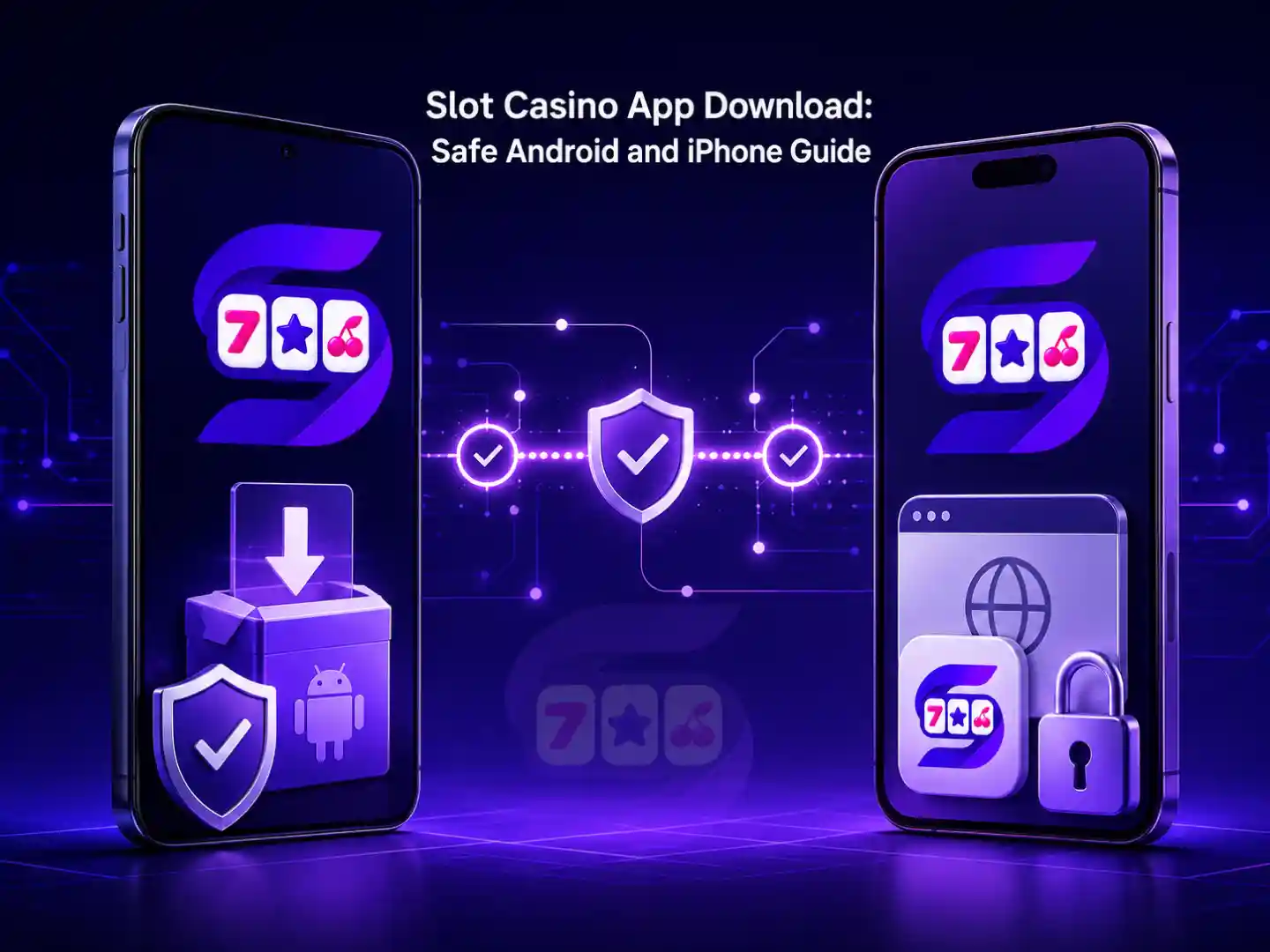
There is no universal winner. A browser version can be the simplest option for readers who do not want to install software. A verified app may provide faster access, full-screen controls, or notifications. An APK may work well when it comes directly from a legitimate operator, but it carries more risk if the download source is copied, altered, or distributed through an unofficial message.
How to Check a Slot Casino App Download Before Installing
Use the following process before downloading or opening any installer.
1. Confirm the Exact Website Address
Start from a domain you have independently verified. Do not rely only on links sent through text messages, social media comments, group chats, pop-ups, or unsolicited emails. Scam pages often use misspelled domains, extra words, different extensions, or copied branding to imitate a familiar platform.
Look for HTTPS and the padlock indicator, but remember that HTTPS only protects the connection. It does not prove that the operator is legitimate. Compare the exact domain with the operator’s published information and current regulatory records.
2. Verify the Operator, Not Just the Logo
A logo or claimed licence number can be copied. Check the operator’s legal name, approved brand, and exact website address through an official regulatory source. PAGCOR has advised the public to verify online gaming websites before playing or making payments, and its PAGCOR Guarantee resource is intended to help users identify listed, legitimate platforms.
If a site claims that “PAGCOR guarantees every win,” offers a certificate that cannot be independently verified, or uses the regulator’s logo as its only proof, pause the download. Regulation does not remove the risk of losing, and no legitimate licence can guarantee a player’s outcome.
3. Match the App Publisher With the Operator
For an app-store listing, review the developer name, publisher details, support website, privacy information, update history, and user feedback. The spelling should match the company or its disclosed technology provider. A recently created listing with a different publisher, vague contact information, or copied screenshots requires extra caution.
For an APK, the download page should clearly identify the file as an Android installer and provide basic information such as the current version, supported operating system, update date, and installation instructions. Never accept an APK forwarded by an unknown person when the same file cannot be confirmed on the operator’s verified domain.
4. Review Permissions Before Installation
A slot game app may reasonably request network access, notifications, or biometric login if those features are offered. It normally should not need unrestricted access to contacts, call logs, text messages, accessibility controls, or device administration.
Stop if an installer asks you to disable security software permanently, grant remote-control access, share a one-time password, or install a second unexplained application. Those requests are not necessary for ordinary casino play and may expose the device or account.
5. Scan the File and Keep Security Features Active
On Android, keep Play Protect and the phone’s built-in security features enabled. Scan a downloaded file before opening it, update the operating system, and avoid installing while connected to an unknown public Wi-Fi network. If Android requires temporary permission to install from a particular browser, turn that permission off again when the installation is complete.
Never install a so-called “modded,” “unlimited credit,” or “guaranteed win” edition. Modified casino apps may contain malware, steal login details, or display manipulated information. Slot outcomes cannot be made predictable by an unofficial app.
Slot Casino App Download Steps for Android
The exact labels vary by phone model, but a careful Android process generally looks like this:
- Open the verified operator website directly in an updated browser.
- Find its official mobile or download page rather than using a third-party APK directory.
- Confirm the domain, operator identity, version details, and installation instructions.
- Download the APK only if the source and operator have passed your checks.
- Review the filename and scan it before installation.
- Allow installation from that specific browser only if Android requires it.
- Read every requested permission and reject anything unrelated to the app’s stated functions.
- After installation, disable the “install unknown apps” permission again.
- Open the app without depositing first and inspect the privacy policy, terms, account limits, and support channels.
If the operator offers a secure mobile site with the same essential features, you can use the browser version instead of sideloading an APK. Choosing not to install is a reasonable security decision.
How iPhone Users Can Access a Slot Casino Platform
An Android APK cannot run on an iPhone. iOS users should look for a verified Apple App Store listing or use the operator’s mobile website. If the site supports a PWA, Safari may allow it to be added to the home screen through the Share menu and Add to Home Screen option.
Be suspicious of instructions that ask you to install an unknown configuration profile, trust an unfamiliar enterprise certificate, jailbreak the device, or bypass Apple security warnings. A home-screen shortcut created from the correct HTTPS website is different from an unverified device-management profile.
Before signing in, confirm that Safari still shows the correct domain. A convincing icon on the home screen does not replace a domain check.
Account, Login, and Payment Safety After Installation
The security review should continue after the app opens. Create a unique password that you do not use for email, banking, GCash, Maya, or social accounts. Enable two-factor authentication when available, and never share a password, one-time PIN, recovery code, or e-wallet verification message with support staff or another player.
Before making a transaction, compare the account holder name, minimum and maximum limits, processing estimates, possible fees, identity-verification requirements, and withdrawal conditions. Promotions may also have eligibility, wagering, game-contribution, expiry, and cashout restrictions. Read the current terms and conditions and the external operator’s own terms before accepting an offer.
Keep screenshots or receipts of deposits, withdrawals, support conversations, and verification submissions. If an app suddenly changes its payment recipient, asks for repeated “release fees,” or requires another deposit to unlock a withdrawal, stop and contact the operator through a separately verified channel.
Performance Checks for a Better Mobile Experience
Safety comes first, but usability also matters. A good mobile platform should fit the screen without forcing awkward zooming, clearly display game rules and balances, and keep important controls away from accidental taps. Test these areas before committing to regular use:
- Loading speed: Games and account pages should load consistently on your normal connection.
- Data use: Live dealer streams and high-resolution games can consume more mobile data than standard slot games.
- Battery and heat: Extended sessions may warm the device or drain the battery quickly.
- Orientation: Portrait games should remain readable, while landscape games should provide a usable full-screen view.
- Reconnect behavior: After a signal interruption, the platform should show the updated balance and settled result clearly.
- Updates: Updates should come from the same verified source as the original installation.
Try a free or practice mode first when one is available. A demo can help you understand the buttons, paytable, paylines, symbols, bonus features, and volatility without putting funds at risk. However, demo results do not predict future outcomes in paid play.
Warning Signs of a Fake or Unsafe Casino App
Cancel the download or remove the app if you notice any of these red flags:
- The link came only from an unsolicited message or unknown social account.
- The domain is slightly different from the verified operator address.
- The page promises guaranteed wins, fixed patterns, or unlimited credits.
- The publisher identity does not match the operator or disclosed provider.
- The installer requests contacts, SMS, accessibility, or remote-control access without a clear reason.
- The app asks you to disable security protection permanently.
- Support requests a password, one-time PIN, or screen-sharing session.
- Terms, privacy information, company details, or responsible-play tools are missing.
- A withdrawal supposedly requires repeated taxes, deposits, or unlocking payments sent to changing accounts.
- The only evidence of legitimacy is a logo or certificate displayed by the site itself.
When uncertain, do not proceed. Deleting a suspicious installer before opening it is safer than trying to recover a compromised account later.
Use Mobile Casino Apps Responsibly
Constant phone access can make sessions feel shorter than they are. Set a fixed entertainment budget and time limit before opening the app. Do not borrow money, use funds reserved for bills, chase losses, or increase wagers in an attempt to recover a previous result. Turn off promotional notifications if they encourage unplanned play.
Use deposit limits, time reminders, cool-off tools, and self-exclusion options when available. PAGCOR’s responsible gaming guidance emphasizes preventing gambling-related harm and underage participation. SlotCasino.site also provides a responsible gaming page with practical information for adult readers.
If gaming begins to affect finances, sleep, work, relationships, or emotional well-being, stop and seek support. PAGCOR lists a 24/7 National Problem Gambling Helpline at (02) 8248-9568. Availability and contact information can change, so confirm the latest details on the regulator’s official website.
Final Slot Casino App Download Checklist
Before you tap install, make sure every answer below is “yes”:
- Is this the exact verified operator domain?
- Does the legal operator or publisher name match official information?
- Can the licence or authorization claim be independently checked?
- Is the file from the operator’s own verified page or an official app store?
- Are the requested permissions limited and relevant?
- Are the privacy policy, terms, payment rules, and support channels easy to find?
- Does the platform offer account-security and responsible-play controls?
- Have you rejected every promise of guaranteed wins or secret patterns?
- Are you eligible, at least 21 years old, and within your entertainment budget?
A slot casino app download should be treated like any other financial or account-based software installation: verify first, install cautiously, protect your credentials, and review the rules before using it. If the source cannot be confirmed, use a secure browser version or do not proceed.
Frequently Asked Questions
Is a slot casino app download free?
Many casino apps and browser shortcuts do not charge an installation fee, but using an external gaming platform may involve deposits, wagers, transaction fees, or data charges. “Free download” does not mean risk-free play. Check the operator’s current payment and promotional terms.
Can I download a slot casino APK on an iPhone?
No. APK files are designed for Android. iPhone users should use a verified App Store listing, the operator’s secure mobile website, or a supported PWA added through Safari.
Is an APK automatically unsafe?
No, but installing software outside an official app store requires stronger verification. Confirm the exact domain and publisher, scan the file, review permissions, and keep device security active. Never use modified APKs or files forwarded by unknown senders.
Do I need to download an app to play free slot games?
Not always. Many titles can run in a modern mobile browser, and some platforms offer a PWA or home-screen shortcut. Browser-based free slot games can be a simpler way to check controls and game information without installing an APK.
How can I tell whether a casino app is legitimate in the Philippines?
Verify the operator’s legal identity, exact domain, current regulatory status, publisher information, security controls, terms, and support contacts. Do not rely on a copied logo or certificate. Use official regulatory resources and stop if important details cannot be independently confirmed.
Can a slot app guarantee that I will win?
No. Slot outcomes are chance-based, and no legitimate app, pattern, strategy, or modified installer can guarantee a winning result. Treat gaming as paid entertainment, set limits, and never chase losses.
Editorial note: Information was checked against publicly available PAGCOR responsible-gaming and operator-verification resources on August 26, 2026. Readers should confirm current rules and operator details before acting.